
How To Buy Starlink Accessories
Learn how to buy official Starlink accessories, such as mounts, and how to find out if aftermarket options are available.

- Author
- Published
- Community
- 96 comments
The Starlink hardware kit comes with a temporary mount, 50' Starlink cable, and Wifi router. This is all the hardware you need to get started, but Starlink accessories allow for permanent installation, increased home Wifi coverage, and more.
There are different options for many of the accessories that you might want for your Starlink system. For example, mounts can be sourced from 3rd party stores like Amazon, in addition to the official Starlink store.
In this article, I will list all the popular Starlink accessories, as well as aftermarket alternatives to consider. I will also explain the ordering process for the Starlink store, and why you may not be able to purchase anything yet. Finally, I will explain the difference in accessories between all the different Starlink hardware versions.
Starlink Accessories - Official vs Aftermarket
You can order accessories from aftermarket sources, like Amazon, or from the official Starlink store. Starlink manufactures the dish and Wifi router, but they also make their own mounting and network accessories.
Note: You need to be a Starlink customer to view the accessory shop linked above
Which option you choose will depend on a variety of factors, including price, availability, and features. For example, you may opt to purchase an aftermarket mounting system for a more complicated installation. Or you may prefer the Starlink mesh system over an aftermarket mesh product for ease-of-use.
Mounting Accessories
The most common Starlink accessory that people buy are mounts. The base that is included in the Starlink kit isn’t suitable for a permanent installation in most cases. If you plan to install your dish on your roof, wall, or other angled surface, you’ll need a mount accessory that swivels to get the dish mast near vertical.
Wall Mounts
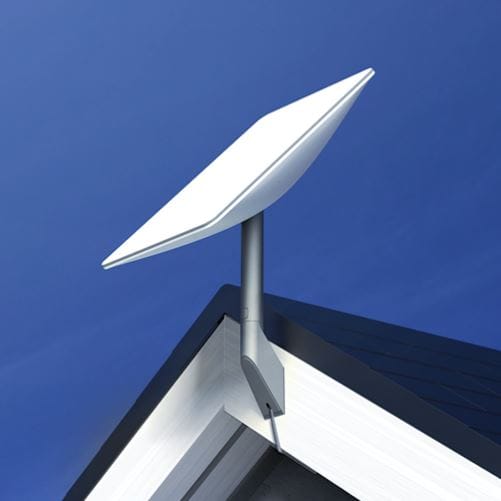
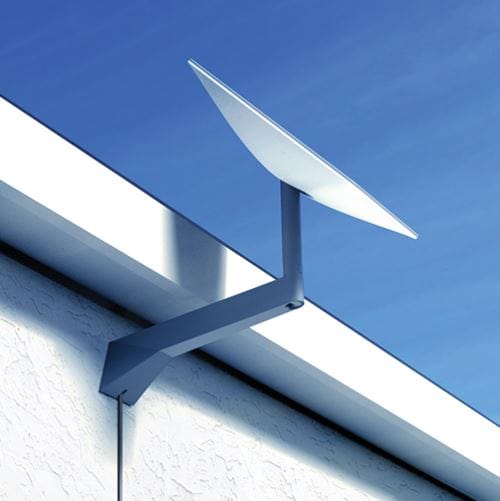
Starlink offers a Short Wall Mount and Long Wall Mount, designed for exterior walls. The Short Wall Mount is suitable for mounting to a roof fascia, while the Long Wall Mount is perfect for securing to an exterior wall.
Related: Tutorial: Starlink Long Wall Mount Installation
This post contains affiliate links. I may earn a commission from purchases made through these links, which helps support DISHYtech.
A great aftermarket alternative for the wall mounts above is a J mount. J mounts have been used for satellite and TV antenna installations for years, so they are readily available and cheap. The Winegard DS2000A is my favorite because it includes two U-bolts to secure the Starlink mast into the J mount. The DS2000A would be great for fascia installations, and is equivelent to the Starlink Short Wall Mount. If you need some additional clearance and height, consider the Winegard DS3000A which has a longer 38 in. mast.
If you go with the DS3000A, be sure to pick up the Universal Antenna Mount Adapter to easily adapt the Starlink mast to the J mount.
Roof Mounts
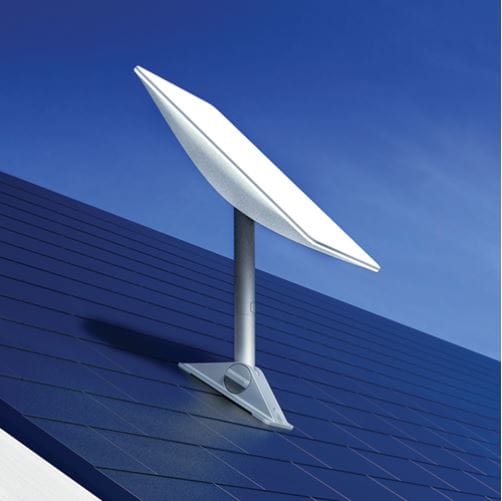
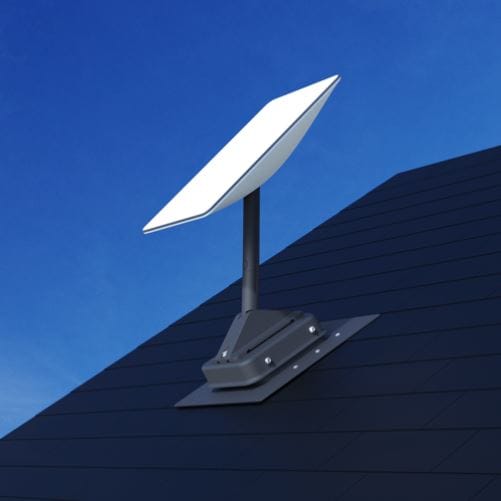
The Flashing Mount and Pivot Mount are two official Starlink mounting accessories for roof installations. It should be noted that the Flashing Mount is just the base that secures to the roof under your shingles for added water resistance. It requires a Pivot Mount.
Aftermarket roof mounting accessories are also readily available. A J mount is equivalent to the Starlink Pivot Mount in terms of features. Like I mentioned earlier, I recommend the Winegard DS2000A.
If you would like a flashing mount, you can pair DS2000A with something like the Commdeck Satellite Dish Mounting System, both pictured above.
Other Mounting Accessories
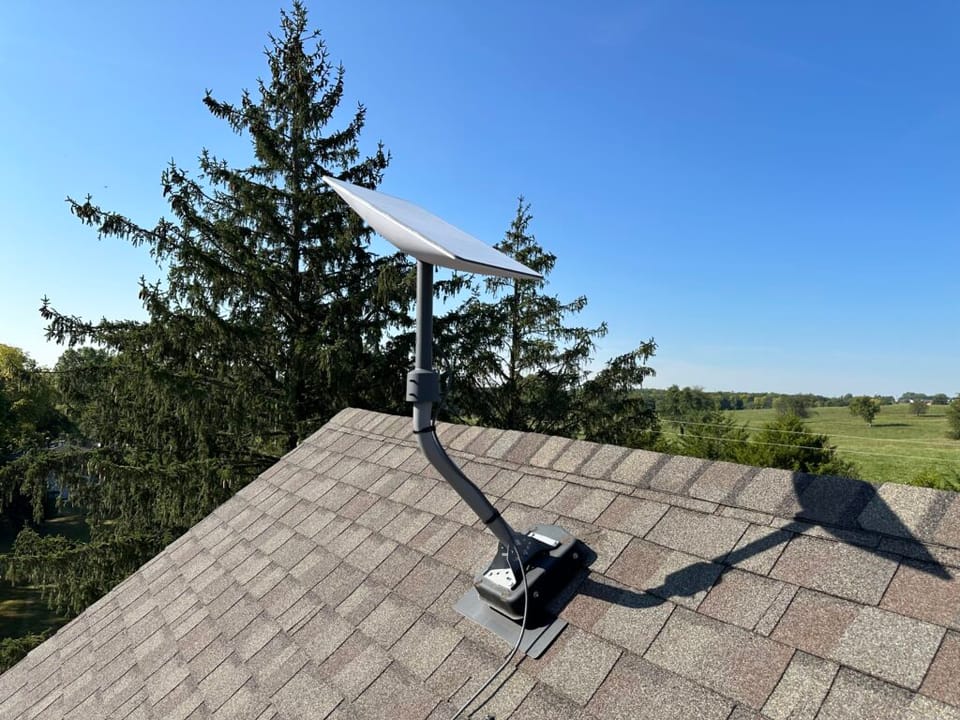
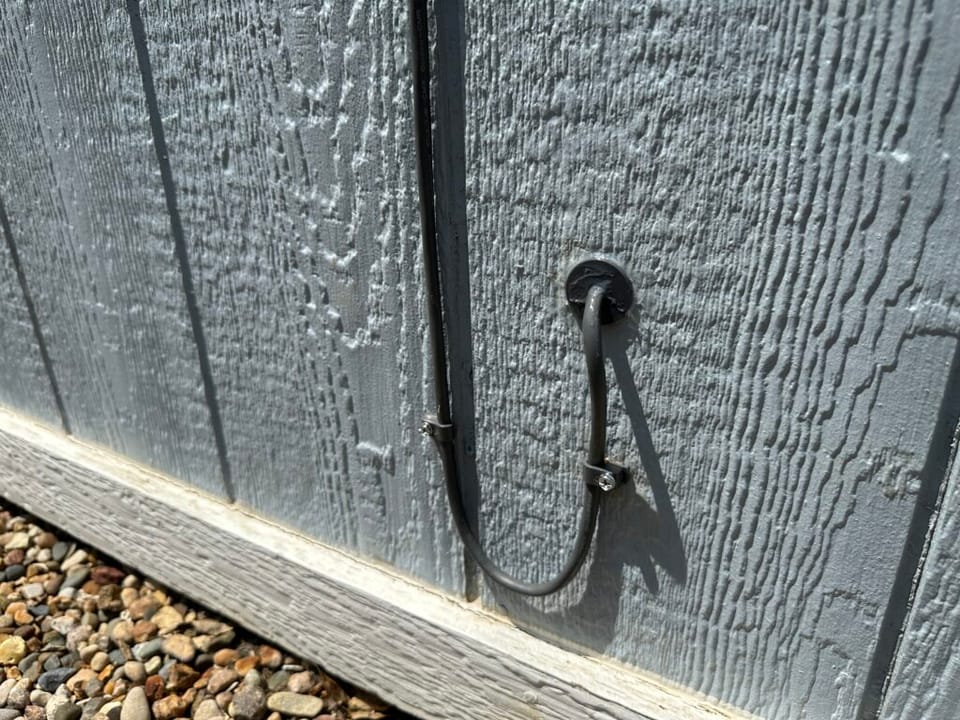
There are many ways to mount a Starlink dish, so Starlink offers a Pipe Adapter to allow for more complicated or custom installations. The Pipe Adapter adapts the Starlink dish to any kind of mast, up to 2.5".
If you are routing the Starlink cable through an exterior wall, consider picking up the Cable Routing Kit. It contains almost everything you need to properly route the cable through a wall, including drill bit, grommets, and more.
Check out my Starlink roof mounting guide to learn more about how to mount Starlink.
Network Accessories
Most homes will require more Wifi coverage than a single Wifi router can provide. When you order the Starlink kit, you get a very capable Wifi router, but a lot of customers will need to expand their system to provide better Wifi coverage and reliability. You might also want to connect directly to the router via ethernet. That’s where Starlink network accessories come in.
Starlink Ethernet Adapter
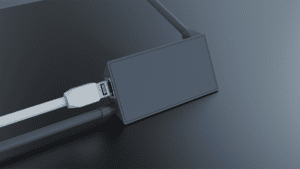
The most common network accessory that people will want is the Starlink Ethernet Adapter. This official Starlink accessory is a proprietary design, meaning you can only get it from Starlink, no aftermarket versions exist. The cost when ordered directly from Starlink is $25.
The Ethernet Adapter is applicable to the newer rectangular Starlink systems. The older round dish came with a Wifi router that featured an ethernet port. To cut costs and limit hardware delays due to supply chain issues, Starlink eliminated the ethernet port on newer Starlink routers. Customers wanting to connect with ethernet will need the adapter from the Starlink store.
To learn more, check out my Starlink Ethernet Adapter Setup tutorial.
Starlink Mesh Nodes
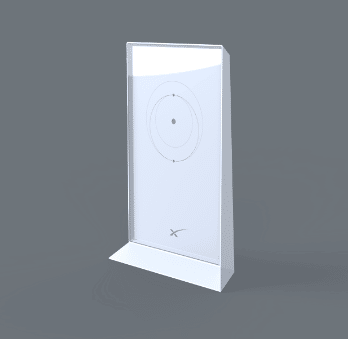
If you need to expand your Wifi signal to more areas of your house, you’ll want to set up a mesh network. You can use aftermarket mesh products, but Starlink also has an official version of their own that is compatible with the current rectangular dish. This official Starlink mesh system will compete with existing aftermarket mesh network options to provide better Wifi coverage throughout your home.
Aftermarket mesh systems are ideal for their cheaper price, better features, and better compatibility with the original round dish. We recommend checking out something like the TP-Link Deco AXE5400 Tri-Band WiFi 6E Mesh System, pictured above, if you want a better performing alternative to the Starlink option.
These 3rd party mesh Wifi systems give you advanced controls compared to the Starlink mesh system, such as parental controls, security features, guest Wifi controls, and more.
Be sure to check out our full article on Starlink and 3rd party mesh Wifi systems.
Starlink Extension/Replacement Cable
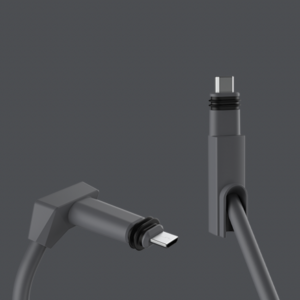
You can extend the distance between your Starlink dish and router with a Starlink replacement cable. Starlink offers replacement cables in a 75ft length, or in an extended 150ft length.
The extension/replacement cables are only available from Starlink. The cables use a proprietary connector, so aftermarket cables are not an option.
It is not possible to combine cables together to extend the length. For example, you can't combine two 75' cables to form a 150' cable.
Starlink Mobile Cases
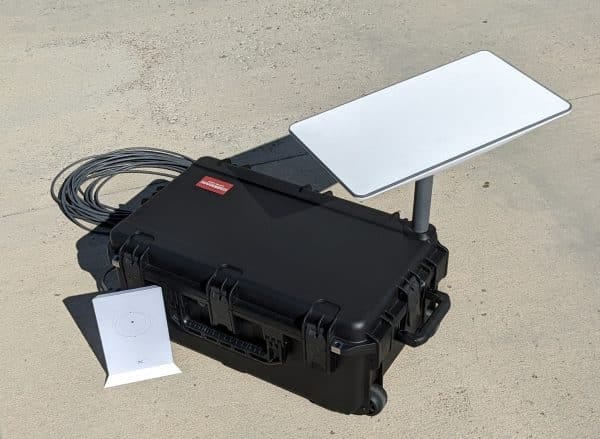
With the launch of the Starlink Mobile (aka Roam/RV) service, many people are taking Starlink on-the-go. It's important that you protect your Starlink hardware, so protective cases are a must for RV'ers, van dwellers, and overlanders. One popular option is the Pelican 1610 Case, pictured above.
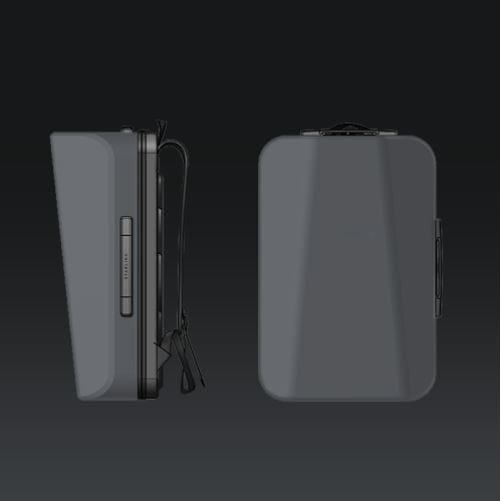
Starlink has their own case, called the Starlink Travel Case. It's a bit cheaper than some of the aftermarket cases, and is specifically designed for Starlink.
Where Can I Order Accessories?
Official Starlink accessories are only sold through the online Starlink shop. If you are interested in buying accessories from Starlink, you’ll need an active account. More on that in the next section.
For aftermarket accessories, multiple retailers carry the mounts and other products you may need for your system. We recommend searching for the specific product in your favorite search engine, and then selecting the best price from a reputable retailer.
How Do I Order Official Starlink Accessories?
In this section, we will explain how the ordering process works for official Starlink accessories. One of the most common questions we get involves people trying to order their mounts or ethernet adapter, and not being able to access the Starlink shop.
Full Orders
Customers that are eligible for the full Starlink kit order will have access to the Starlink shop. You can purchase mounts and other accessories during or after your initial hardware kit purchase.
Current customers can always return to the Starlink shop at any time and purchase additional accessories.
Ordering Accessories For Different Starlink Versions
Some of the accessories for one hardware version won't be compatible with a different hardware version. For example, the Starlink cable for the Standard dish is not compatible with the High Performance dish.
If you just have one Starlink, you'll be directed to the right accessory page when you visit the shop.
You can view the accessories for each version of dish by going to the Starlink shop dish selection page. Make sure to select your dish to view the accessories that are compatible.
Final Thoughts
There are many options to choose from when shopping for Starlink accessories. For some things, like the Starlink Ethernet Adapter, you will need to buy from the Starlink shop. For other options, such as mounts or mesh Wifi systems, Amazon and other retailers have plenty of options to choose from.
We advise people to check out all their options and choose according to your own needs.

Discussion
96 Comments