
Starlink Gen 3 Standard vs Gen 2 Actuated: Full Comparison
After extensive testing with both, I break down all the major changes between the Starlink Gen 2 Actuated and Gen 3 Standard dish models.

- Author
- Published
- Community
- 120 comments
If you're facing a decision between the older Starlink Actuated and the newer Starlink Standard model, it's important to know all the key differences so you can pick the right model for your situation. I've owned and tested both the Standard and Actuated dishes extensively, so in this comparison guide, I'll break down all the major changes.
Starlink's 3rd generation "Standard" dish was released in late 2023, featuring an improved Wifi router and a brand new antenna design. Although the Gen 2 "Actuated" model isn't sold by Starlink anymore, you can still order it from retailers as well as on the used market. Whether you are brand new to Starlink, or considering an upgrade, let me break down all the changes.
Antenna Design and Size
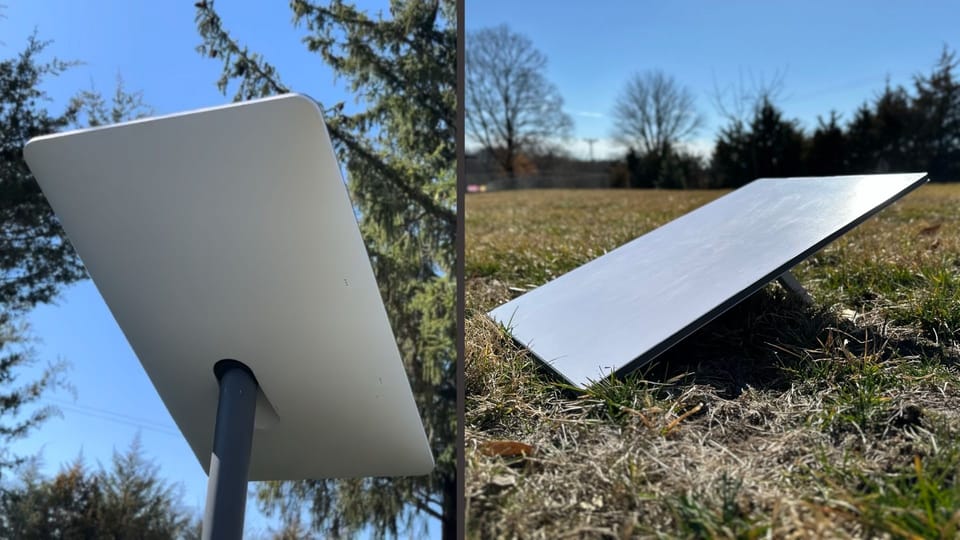
The biggest difference between Gen 2 Actuated and Gen 3 Standard is the design of the antenna/dish. In fact, it's right there in the name. Gen 2 uses actuators (electric motors) that automatically align the antenna to the optimal position based on your location, hence the "Actuated" name.
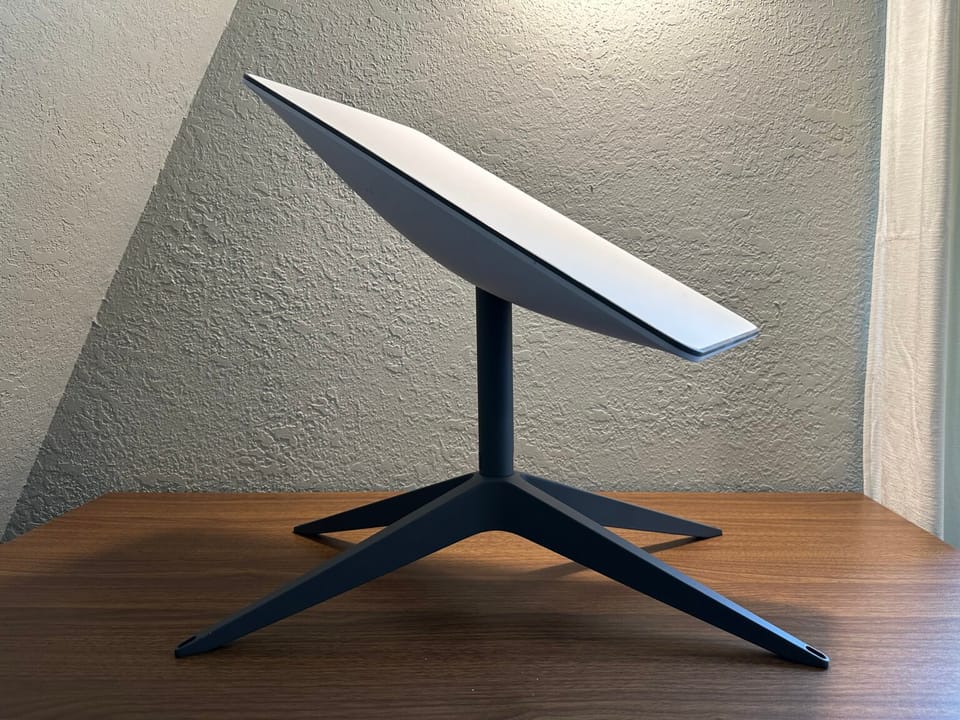
Staring with the Gen 3 Standard, Starlink decided to remove the built-in mast and actuators from all future Starlink antennas. Instead of motors that can automatically rotate the dish, customers have to manually align the dish using the Starlink app during the initial setup process.
One common misconception is that Starlink dishes constantly move and adjust to follow the satellites. Starlink's don't have to move at all. In fact, the signal from the satellites is electronically steered by the active phased array antenna. No actuators or movement is required as long as the dish has a clear view of the sky above.
The actuators on Gen 1 and Gen 2 hardware versions were useful when the Starlink constellation was still small with only a few thousand satellites. But these days, getting the right alignment isn't as important. Making the dishes smaller, lighter, and cheaper are a higher priority for Starlink.
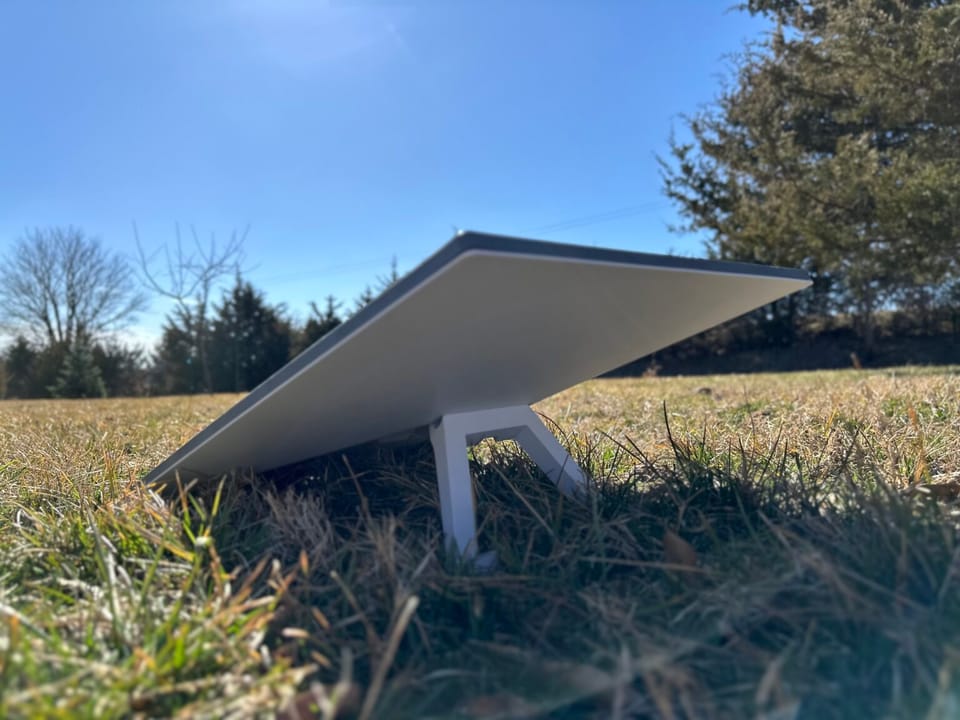
The Standard dish is bigger, but more portable. The Actuated antenna is about 12" wide and 20" long, while the Standard measures 12" wide and 24" long. The increased antenna surface area gives the Standard a higher field of view (FOV), 110 degrees vs 100 degrees. The Actuated dish has a much thicker and taller form factor because of the built in mast and motors, making the Standard much easier to travel around with.
Having used the Gen 3 Standard for almost a year at my own home, I will say that the lack of motors and the manual alignment isn't a big deal at all. I did the manual alignment when I first installed the dish on my roof. It took less than 30 seconds. Since then, I haven't had to readjust anything.
The tradeoff of motors for portability is one I would make any day. I also use a Standard dish for traveling in my Scamp travel trailer. Packing the Actuated version away in my small camper was a challenge, but with the Standard it's a breeze.
Wifi Router Performance
The Actuated hardware kit comes with the Gen 2 Starlink Wifi router, which uses Wifi 5 technology. It is mesh-enabled, meaning you can wirelessly pair additional Gen 2 or Gen 3 routers to increase the coverage area of your Wifi network. The Gen 2 router doesn't have Ethernet ports to connect devices, but Starlink does offer an Ethernet Adapter to give you a single LAN port. The Gen 2 router in the Actuated kit can cover up to 2000 sq. ft.
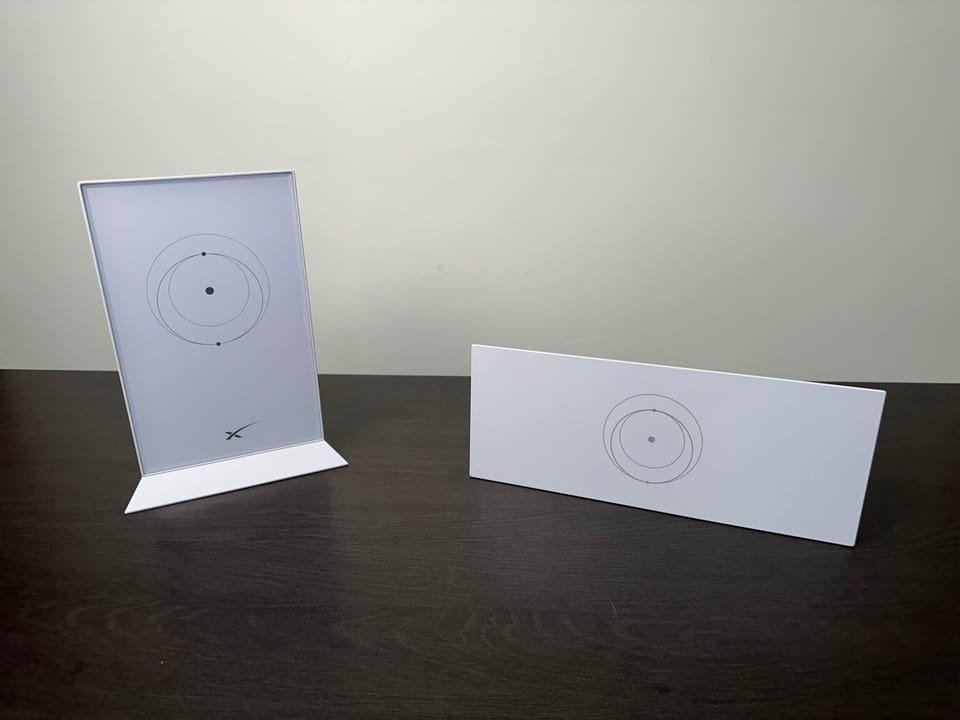
The Standard hardware kit includes the upgraded Starlink Gen 3 router. The Gen 3 router uses Wifi 6 technology, allowing for faster Wifi speed and better range compared to the Actuated router. The Gen 3 router can cover up to 3,200 sq. ft., and has a tri band radio for improved mesh performance.
Starlink listened to customer feedback regarding the lack of Ethernet ports on the Gen 2 router, and included 2 Ethernet LAN ports on the Gen 3 router. Other improvements compared to Gen 2 include a physical reset button and a multi-color status LED on the front of the router.
In my Starlink Gen 3 Router Review I tested the Wifi range and speeds between the Actuated and Standard routers. I found the Gen 3 router from the Standard kit to provide up to 4 times higher transfer speeds. The jump from Wifi 5 to Wifi 6 is massive, and the Standard router has much improved range and Wifi speeds.
Starlink Cable Design
A single 50 ft. cable, called the Starlink cable, connects the dish to the Wifi router on both the Standard and Actuated. Longer versions are available for both. The major difference is the type of connectors on each end of the Starlink cable. The Actuated model uses proprietary connectors while the Standard uses common RJ45 connectors.
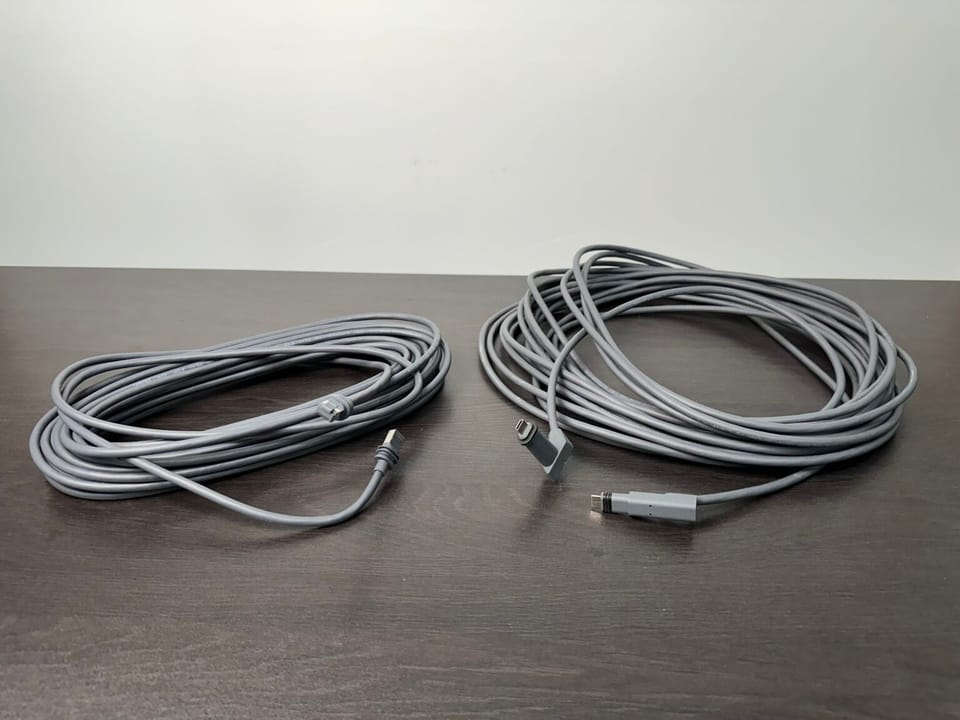
I've routed both the Actuated cable and Standard cable through the exterior of my home and garage several times for various reviews and hardware tests. I prefer the Gen 3 Standard cable due to the industry standard RJ45 connectors. The cable is reversible, it doesn't matter which end plugs into the dish or router on the Standard. That's not the case with the Actuated cable. I've also seen a lot more failures with the Actuated cable due to the finicky proprietary connectors. The Standard cable seems to be more reliable and less prone to issues.
Mounting and Accessories
No matter which hardware option you pick, you will have several mounting options to choose from. Starlink offers several types of mounts for both Standard and Actuated. You can also use aftermarket mounts and poles with the Starlink Pipe Adapter, which is available for both models.
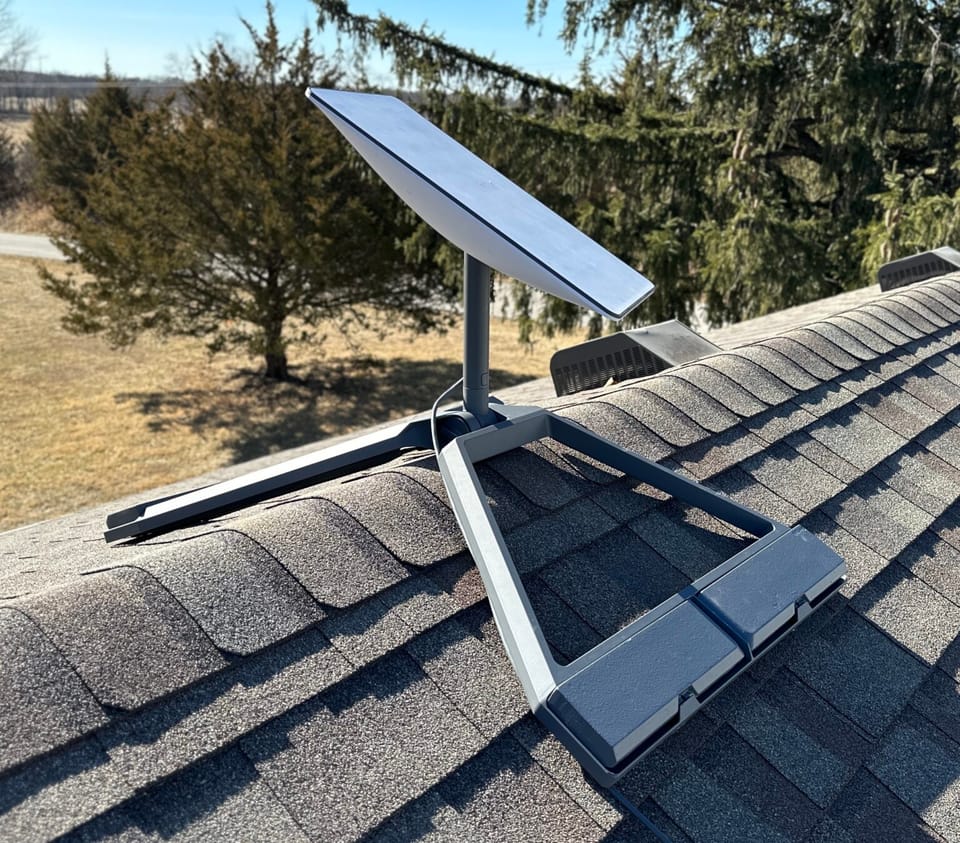
Both dishes can be installed directly to a roof, facia, eave, or exterior wall with the appropriate mount. Although the design of the Standard kit doesn't include a mast, a mast section is included with most of the Standard mounting kits.
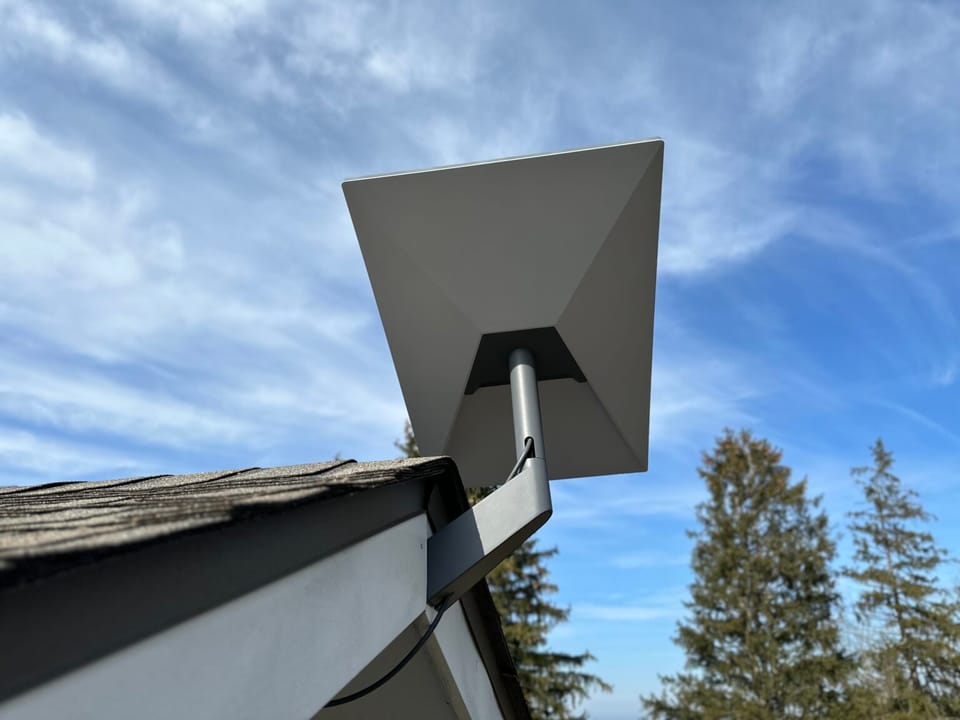
I would say it's a tie when it comes to mounting options. You have a lot of options with either dish, with many of the same Starlink mounts available for both. To learn more about mounting your Starlink dish, check out my Starlink Roof Mount Guide.
Like with the mounting options, the accessories offered for the Standard and Actuated are similar. Starlink sells longer cables, mesh routers, travel cases, and installation accessories for both models.
The downside to buying an Actuated dish is that those accessories are being phased out. No new Gen 2 Actuated accessories are being developed, and when they sell off the remaining inventory, current accessories will become unavailable as well. One of the big advantages to picking the Standard is that it's current generation hardware and will be supported for much longer than the Actuated dish.
Performance and Reliability
Generally, the Starlink dish model you pick doesn't affect your internet speed or reliability. The bigger factors for performance are your location, service plan, and whether or not you have any obstructions blocking the view of the antenna.
I've tested every single Starlink dish head to head, and I found that they are all very similar in terms of internet speed and latency. Both the Standard and Actuated models will deliver the maximum speeds available for your region and service plan.
The Standard hardware does have a slight reliability advantage in weather. The bigger power supply and more powerful antenna allows for better performance in rain and snow, where satellite internet generally struggles to maintain a good connection.
Price, Availability, and Service Plans
Starlink only sells the Standard model now in most of the world, with Actuated available on the used market and at some 3rd party retailers. The Standard costs $349 directly from Starlink and retailers like Home Depot.
When it was the current hardware being sold by Starlink, the Actuated kit was more expensive at $599. With the Standard costing nearly half that, I wouldn't recommend considering the Actuated unless it was priced well below the $349 price of a brand new Standard kit.
Both the Standard and Actuated are compatible with all the Starlink service plans. You can use either model for Starlink Roam, Residential, or Business.
Bottom Line: Which hardware should you buy?
At this point, I've covered all the important differences between the Gen 2 Actuated and the Gen 3 Standard hardware options. So, which one should you pick if you are buying Starlink for the first time?
In my opinion, the Standard dish is the best option. Not only is it the latest and greatest technology from Starlink, it has the following advantages vs the Actuated dish:
- Better Wifi router with improved range and speeds
- More portable and packable design
- The RJ45 connectors on the Starlink cable are more reliable
- It will be supported with service and accessories for longer
The Actuated dish is still a good option if you don't like some of the design changes with Standard. If the self-aiming feature seems very important to you, the Actuated dish is the way to go. That guarantees you won't have to climb back up on your roof to make adjustments if Starlink requires them in the future. Although this has never happened to me in nearly a year of owning the Standard, it might be worth considering if you have to mount your dish on a tall tower.
What about upgrading from Gen 1 or Gen 2?
If you currently own a Gen 1 or Gen 2 Actuated system, and are wondering about upgrading to the Gen 3 Standard dish, I don't think it's worth it. The upgrades I listed above for Gen 3 are nice to have, but won't really change your internet experience drastically if you already have a working Starlink system.
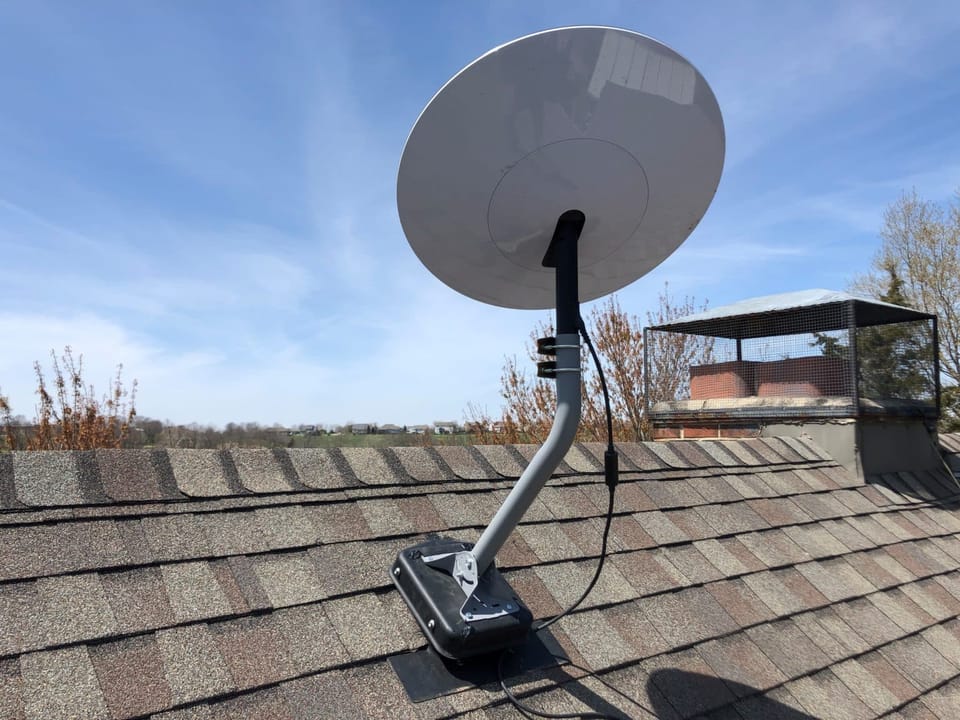
You can gain many of the Gen 3 improvements by upgrading your Wifi router on the Actuated system. For example, invest in a Starlink mesh system to improve Wifi range and speeds. I wouldn't worry about any of the other differences, like the Starlink cable, until they become a problem for you. At that point you can worry about switching to whatever version dish Starlink is currently selling.
Final Thoughts
The Actuated dish is Starlink's 2nd generation hardware, while the Standard is the latest 3rd generation dish. There are several design changes between the two, including the elimination of the actuators and an upgraded Wifi router. Since the Standard dish is the only one being sold and serviced by Starlink right now, it's my recommended choice for brand new Starlink customers.
If you already own a Gen 1 or Gen 2 dish and are wondering if you should upgrade, I would wait. There isn't anything about the Standard dish that makes the older models obsolete.
If you have additional questions or concerns, leave me a comment. I'd be happy to discuss and offer advice for your specific situation.

Discussion
120 Comments