
I Switched From Starlink Max To Residential 100 Mbps — My Review After One Month
I downgraded from Starlink’s most expensive plan to their least expensive plan for one month. Here’s how it went.

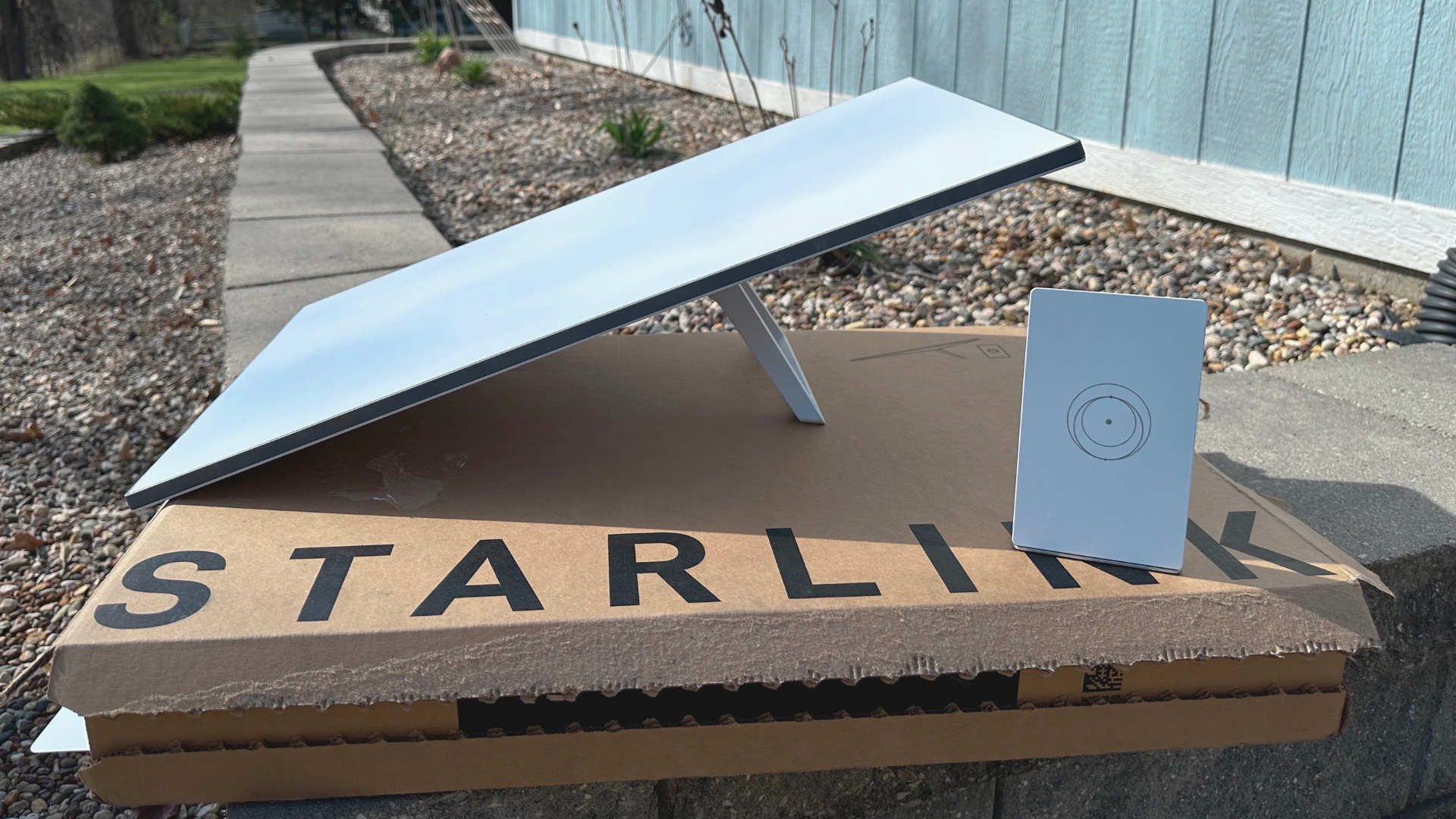
I’ve been subscribed to Starlink Residential Max for over five years. Recently, additional plan options popped up in my area. I now have access to Residential 100 Mbps and Residential 200 Mbps, both of which are significantly cheaper than my $120/month Max plan. The 100 Mbps plan is only $50/month, while the 200 Mbps plan is $80/month.
Residential Max gave me internet speeds of over 400 Mbps, so I was curious about whether the slower Starlink plans would be worth the savings. All Starlink Residential plans come with unlimited data. The difference with the 100 Mbps and 200 Mbps plans is the download speed, which is capped.
The equipment is slightly different, too. The cheapest plan, Residential 100 Mbps, comes with the Standard 4 kit. Residential 200 Mbps and Residential Max come with the Standard 4 X kit, which has an upgraded WiFi router for more coverage. I already had my Standard 4 X kit with my own 3rd party router, so that wasn’t an issue for me.
I have a YouTube video that covers the Standard 4 kit in detail if you’re interested in learning more.
One Month Challenge
What I really wanted to figure out is whether 100 Mbps down is enough for my internet needs. It’s a common question in the Starlink community, too. I get emails and comments all the time about Residential 100 Mbps, and if it’s fast enough. My situation is typical, even if my household is small. It’s just two adults, but we both work from home. We have 4K televisions, laptops, a gaming PC, tablets, smartphones, security cameras, etc.
To find out once and for all, I decided to challenge myself: Downgrade from Residential Max to Residential 100 Mbps for an entire month. This would allow me to get a really good idea of how a 100 Mbps speed cap affects everything I do, like streaming, online gaming, and working remotely.
So, I downgraded my plan and carried on living my life, ready to document any changes I noticed. Here is what happened, broken down into the major internet activities.
Streaming
Watching TV shows and movies on streaming services is probably the most demanding thing that people do with their internet connection. Modern 4K video requires a lot of bandwidth, and things can get interested when multiple devices are streaming at the same time.
My wife and I typically watch TV together on the 4K TV in our living room, but there are times when one of us will want to watch something different, so the bedroom 4K TV will also be streaming. I didn’t notice any buffering or issues during my monthlong challenge, even when we had multiple 4K streams going.
Since Residential 100 Mbps seemed to handle my normal streaming tasks easily, I decided to run a stress test to simulate a bigger household with more devices streaming simultaneously. I started 4K movies on my two TV’s, and also started two 1080p HD streams on both of my laptops. That’s four devices streaming video at the same time, two 4K and two HD. Still no issues whatsoever. I took a look at the download throughput graph in the Starlink app. It was close to maxing out at the 100 Mbps limit, but none of the streams buffered or downgraded video quality during the 15 minute test.
Residential 100 Mbps seems to handle streaming like a champ. 100 Mbps is enough to stream multiple 4K titles simultaneously. If you have a larger household with more than two 4K devices that will be streaming at the same time, I’d recommend bumping up to Residential 200 Mbps or Residential Max. But for most households, Residential 100 Mbps will be fine.
Working From Home
My wife and I both worth from home. I’m fully remote working to create content for this blog and the DISHYtech YouTube channel. That means lots of uploading, emailing, and basic internet usage. My wife’s remote work consists of talking on the phone through a company VOIP line, email, instant messaging, sending and receiving files, etc.
I didn’t expect any issues going down to a 100 Mbps speed limit. After all, typical stuff like phone calls and emails don’t use much bandwidth. And since the upload speed on Residential 100 Mbps isn’t capped like the download speed, my YouTube uploads should be about the same.
My assumption was correct, working from home was absolutely fine on Residential 100 Mbps. We had no issues during the challenge month. In fact, I didn’t even tell my wife I downgraded our internet plan. I wanted to avoid any placebo effect, so I waited until the month passed to ask about her experience. She had no idea anything changed, which is a good thing. Residential 100 Mbps passed the work from home test with ease.
Gaming and Latency
Online gaming is a big area of concern for people looking at downgrading to Residential 100 Mbps. Most people assume that they need the fastest speeds to have a good gaming experience. I didn’t find that to be the case. Online gaming doesn’t actually use much bandwidth at all. What’s important with gaming is latency and packet loss.
I should know, I was stuck gaming with my 5 Mbps DSL connection for years before Starlink became available. And you know what? It was generally fine. I only ran into issues when another device on the network needed bandwidth. For example, if my wife started streaming a TV show while I was trying to game, the 5 Mbps DSL connection would max out really quick, resulting in a poor experience for both of us.
But back to Starlink Residential 100 Mbps and gaming. The game I play most is Rocket League. I’ve been playing it for around 10 years, so I have a very good idea of what a good connection and a bad connection is like with the game. It’s a fast-paced game that is very suseptible to packet loss and ping spikes. FPS games (I also play Counterstrike) fall into this category, too. I had the same ping during the monthlong challenge as I was used to before with Residential Max. I didn’t notice any increase in packet loss, I never got disconnected, and never really had any lag.
That makes sense if you think about it. The difference between the plans is the download speed. Latency shouldn’t be affected since they are using the same antenna, same Starlink satellites, same POP’s (Point of Presence), and same game servers. Online gaming performance was unchanged when I switched from Residential Max.
The ping you get while online gaming depends heavily on the game, where you are located, and where the game servers are located. To give you a couple of examples, I’m in the Midwest US, and I can connect to central Rocket League servers at around 30-35 ms. If I connect to East or West coast servers, it’s more like 40-45 ms. Same story with Counterstrike. My real world latency seems to stay within the 30-50 ms range across a variety of games and servers, which is not fiber performance, but it’s completely acceptable for a lag free online gaming experience.
You might be asking, what if it’s like your DSL experience, where if someone started streaming a TV show and using network bandwidth, the online gaming session suffered? I tested that out, too. When I was doing my streaming stress test with multiple 4K and HD streamings going at the same time, I also fired up Rocket League to see if I noticed any degradation in latency or packet loss. I’m happy to report that Residential 100 Mbps handled it well. There was no packet loss or lag, and I was able to get through a match without any issues, even with my bandwidth hitting near the 100 Mbps limit.
Internet Speeds
The download speed of the 100 Mbps plan is, of course, limited to 100 Mbps. With the way Starlink speed throttling works, it’s more of a range rather than a strict speed limit. During a download of a large game file, I noticed my download speeds going above 100 Mbps, up to 120 Mbps occasionally.
If you’re downloading large files regularly, this is one area where you might notice the downgrade. A large file of any given size might take four times as long to download on Residential 100 Mbps compared to Residential Max, where 400+ Mbps speeds are available. Similarly, you could download large files twice as fast on Residential 200 Mbps compared to the 100 Mbps plan.
The upload speeds I experienced with the 100 Mbps plan seemed to be the same as what I was getting with Residential Max. They ranged from 20-40 Mbps during my automated nightly speed test. I recently had to upload a 10GB video to YouTube. It took around two hours, meaning my average upload speed was around 10 Mbps. This is something I’ve noticed in real world uploading vs speed tests. My YouTube uploads typically average around 10-12 Mbps, but Starlink speed tests often show double that. I suppose it’s just the difference between a momentary speed check vs a sustained file upload. It’s also worth noting that I had the same issue on Residential Max.
My Thoughts After One Month
I reached a conclusion about a week into my monthlong Residential 100 Mbps challenge. I didn’t notice any difference with my previous Max plan. With the one exception of downloading large files, Starlink’s cheapest plan performed just as well as their most expensive one. The things I do most didn’t change, like online gaming, remote work, and streaming. I’m completely happy sticking with the cheapest $50/month plan.
Residential 100 Mbps is intended for smaller households, like mine. If you have a larger household, such as with more than four people who might be streaming or gaming at the same time, I’d strongly consider bumping up to Residential 200 Mbps. The 100 Mbps limit can get used up quickly when you have multiple 4K streams going at the same time.
If you’re considering a downgrade to Residential 100 Mbps, or are new to Starlink completely, my advice would be to give the lower tier plans a chance. Start out with Residential 100 Mbps and see how it works out for a couple weeks. Remember, you can always upgrade to the next level if you find you need more speed.

I have Spectrum cable. My email is roadrunner.com
Would i be able to use that email if i switch and cancel Spectrum?
Is that email service provided by Spectrum? I assume they will have some way of keeping the email, or maybe even forwarding it to a new email. Starlink doesn’t offer any email addresses, but most people just use an independent service like Gmail to get an email that isn’t tied to their ISP.
Hello Colby,
I am tired of the rate hikes I keep getting from cable internet, 100 bucks mo now, i am switching to sat internet, I’m 65, only wife and I. One TV, email FB, blink securitysystem, no gaming or big files. I have a eero pro 7 tri band mesh setup now for wifi because I have other steel sided buildings on my land in the country on my property I go into. No cell sometimes. Which version gen 3 or gen 4 or even gen 5 starlink system should I get. Everything is wifi connection in my house and property I just need one cable from the modem to the main wifi mesh box. I will go with the 50 a month plan 100mbs
Thank you,
Gregory grueninger
[email protected] or
[email protected]
Text me 6189107374 I am deaf disabled military vet.
Hey Gregory! I recommend getting the V4 or V5 kit, whatever they are currently offering for your address. If you go to the Starlink.com website and type in your address, you’ll see a list of available plans. These days, Residential 100 Mbps ($55/month) comes with either the “Standard 4” or “Starlink V5” kit. Both options are equivalent, and I wouldn’t worry about which one is offered at your address. It will be a free lease, so no cost up front. Since you already have a mesh WiFi system installed, the setup process should be fairly simple. A cable will be supplied in the kit that connects directly from the Starlink power brick to your Eero WiFi router. You won’t need the Starlink supplied router at all.
Hope that helps, feel free to reach back out if you need further help with your install.
We live at edge of cell service, no cable or dsl and at the far edge of the local WiFi so that a Youtube doesn’t really work. We got Starlink back when the residential max was the only option. Last down month I downgraded to the 100mps. Today I upgraded t the 200 mps. The 100 works fine until you get into the evening higher traffic hours when it slows down to be repeatedly rebooting and at times not even connecting. Sorry i don’t know all the proper terms, but it is basically non functional for streaming a movie.
Hi Colby,
Nice review. I live in rural Ohio and originally got Starlink Oct 2025 with their 12 month $85 per month for Residential Max and free hardware promotion. After raising their prices to $130 in my area they tried to charge me $130 for last month which I was going to consider lowering my plan or cancelling.
After contacting their support they refunded me $45 and will observe the original agreed $85 a month until Oct but once the promotion I will most likely downgrade to the Residential 100 Mbps. Like you, it is 2 adults and an 8 month old in my household, so we do not need a lot. I work from home 2 days a week and was worried about the lower Mbps, but based on your review, I believe it should be no problem. I do not game or anything just stream Netflix/Peacock a few nights a week so it sounds like we’ll be more than fine on the lower plan.
Thank you
Hi Colby,
Great review!
I’m in Canada and will be working remotely in a rural area for a month this summer. Sounds like the 100 mbps will be sufficient, except that it comes with a Standard kit with one Starlink Mini Router, whereas you used the Standard 4 X kit with one Router 3. I wonder if the made the difference and whether the Standard 4 kit would be sufficient. Would you suggest ordering the 4X kit then downgrading the plan from 200 to 100 mbps?
Kind regards,
Colleen
Can you record tv channels for viewing at different days and different times?
Starlink only provides internet, any TV or DVR features would come from some other service.
Can you record tv channels for viewing at different times?
Good Info…… Tnx for sharing… Capt. Mike / TumTum, WA
Awesome information. Thank you very much. We are a two adult household no gaming should be fine.
Thanks for repirt
Good morning Colby,
Great article. I live in Ontario Canada, I got the residential max with free equipment. If I downgrade to the lower package, would I have to return the equipment I received to get the equipment designed for the lower package?
I’ve seen reports that you can opt to keep the free Starlink Mini they send you, as long as you maintain the Standby Mode plan on it. The Router Mini should be yours to keep. I’d ask support to be sure, it could vary country to country.
Great test and report Colby! I’m in the nw of the home counties around London, UK. I don’t have. Residential plan, in fact I think availability here maxed out a year or so back. But I’m happy for the time being with my fttc over a bit of copper adsl from Zen. Although I use Roam at £4.50 /m to take to our place in northern France, and ut may come in handy if we ever next get an adsl outage along with area cell coverage outage which happened not very long ago.
Bedankt voor uw verslag groetjes roger
I am in the Tagum, Davao, Philippines and have service with Converge Internet and is looking to change to STARLINK. I know you mentioned just $50 for the basic home plan. My issue with Starlink has always been the startup cost. Has anything changed? Also, what do you know about the performance associated with Starlink here or what I should be concerned with?
In most places, Starlink now offers free equipment with Residential service. So the startup costs are minimal now. Starlink publishes a speed map that should give you an idea of the speeds real users are getting in your area: https://starlink.com/map?view=download They break it down by state here in the US, but it looks like the Philippines is just grouped together as a whole.
Hey Colby, thanks for your review.
Do you know someone from Starlink I could talk to to find out if I can get it here in San Diego in a bad Internet area? Thank you.
Starlink has a sales phone # on the main page Starlink.com, and also listed on the order page. But you wouldn’t need to call, you can type in your address to the website and check availability and pricing that way.
Great info we are on the $120.00 plan
Thinking about down grading to 100 mbps based on your review.
It’s just two people here with basic usage mostly streaming tv.
Thanks again for review.
You’re welcome! Should work great for just 2 people, and it’s quite a bit of monthly savings over the $120 Max plan.
I switched from T-mobile 5G also had comcast for 32 years to starlink 100 at 39.00 a month in my area love it have 5 4k Tvs 2 desktop computers a ring door bell and a wireless printer that all works together a router tip is to split the 5G and 2.4 into two channels it works much better that way also have 2 cellphones on internet with a fantastic 8k and 12k on youtube and Pluto TV and have the dish sitting on my deck if you do not have 3 series get it has a defrosting antenna and works on direct beam I am I PA one of the first to get it in this area got free kit and 39.00 per month and have everything hook to it comcast service is dog shit
Free kit and $39/month is a great deal! Glad it’s working out for you.
I have a question. I am a senior and a 5 weeks ago had a stroke, and am now looking for new ways to save on expenses. Bought a Mini to use with a travel trailer in June ’24 and am wondering if I can use it at home and on occasional trips?
Yes, it can be used at home. Depending on your country, you may or may not be able to use a Residential plan on the Mini. If you can switch your Mini to the Residential plan, great, you can go back and forth between Residential and Roam depending on if you are at home or taking the occasional trip. If you can’t switch your Mini to Residential, it might be worth buying a regular kit. In most locations, Starlink gives out the equipment for free on Residential plans. So you could probably get the Residential 100 Mbps plan for $50/month, paying nothing but $20 shipping up front to order it. You can have your Mini on the same Starlink account, keeping it paused and only using it for the occasional trip.
Hope that helps!
Hi Colby.
Good to know a downgrade is available.
Question: I live in a house surrounded by several tall trees and am partially blocked from my Starlink antenna. Although sometimes annoying, will my short dropouts decrease if changing to 100 Mbps? Are there other opportunities available such as cellular backup?
Downgrading plans won’t affect the obstructions. I saw your other comment about the Peplink router. If you have 4G LTE available at your house, you could potentially bond the cellular and Starlink together to act as one seamless internet connection. Or potentially look at ways to improve obstructions on your current Starlink antenna. Tower mount, tree top mount, find an opening further away from the house, etc.
I have had the 100 Mbps Residential setup since January and have had no issues with it. You mention that it does not cap uploads. My experience is totally opposite.. uploads are capped at approximately 30% of the download speed. For example, at 105 Mbps down, I will have about 30-35 Mbps up. If I’s running at 70 Mbps down, I will be at about 20 up. It seldom varies from that 30% level.
Interesting article. I too went from the max plan to 200 mps. No differences with a 2 person household.
Based on your article i will try the 100.
We dont game but always watch 2 tv at once. Thanks for writing. I also use the same equipment we initially purchased years ago.
Hank
Residential 100 not offered in Fairbanks Alaska, bummer
This is good news, but find 100mbs down is sufficient as well.
I use starlink for our RV. If the cellular modem at the house didn’t work well enough I would switch to SL.
The cellular modem is 100mbs down for $45/mo. Yes, it’s cheap. Spectrum cable is 300+, but starts out at $59 and then $89 and then to $120. And it was always going offline requiring an equipment reset. It got really annoying, and I told them we weren’t going to pay their exorbitant costs. GONE.
We work from home as well, and stream vid to a giant TV. So far everything has been great, but lOT tends to fall off requiring a login to the modem and turn it off then back on. Our smart thermostat will ONLY run on 2.4gz.
Starlink FTW…again.
Hi Colby — Thank you as always for the updates. My question is a bit specific. We have Starlink at a cabin that is not our primary residence — we are only there one or sometimes two weekends per month. We currently have Residential Max service there, which is most likely more than we need.
Looking at my dashboard, I do not see an option for Residential 100 or 200 Mbps, but I do see an option for Roam 100 Mpbs or Roam Unlimited. Is there any reason not to downgrade to Roam 100 and give it a shot? Even though it is at a residence and not a moving vehicle? We can upgrade back to Residential Max if the Roam 100 does not work out, correct?
Thank you!
Hello DE, I have been using Starlink RV/Rome since it first became available about 5 years ago. I did try the 50 GB plan about a year ago and I do stream a lot when I have nothing better to do. I was stuck in the RV for 3 days and used my 50 GB by the end of the 2nd day (approximately). As I recall there is an alarm system you can set to let you know when you have reached the limit and perhaps throttle you back, but you can still have full download speeds and go on unchecked at an additional cost of $1 per GB. So you start the billing cycle and 10 days in you have exceeded the 50 GB by 50 GB so that is the $50 + $50. So you upgrade to max and they bill you the prorated balance for the upgrade. You prepaid the $50 for the 50 GB plan and then paid the prorated amount till the next billing cycle at which time you are charged the full amount of $165 for the max plan plus the $50 for the 50 GB overage from last month. Be sure when you look at the numbers they actually say 100 MBPS or just GB! They can say either one.
For one or two weekends a month, I would definitely try out Roam 100GB. You should be able to upgrade back to Residential if needed. But to be sure, type the address into Starlink.com like you were shopping for new Residential service. Check the cost breakdown to make sure Starlink isn’t charging the “demand surcharge” for your area. If you don’t see Residential 100 or 200 listed for your address, you could potentially be in an area where the demand surcharge applies. If that’s the case, it would be expensive to switch back to Residential if you tried Roam 100GB.
The good thing about Roam is that you can pause/cancel the subscription if you won’t be at the cabin for an extended period of time.
Thanks very much for the reply. I’m a bit confused, though — when I go to Account > Manage Service Plan > Change Plan, the only Residential service that shows up is Max (which is currently active for me). However, when I type the address into starlink.com like I am shopping for new service (as you suggested) I DO see Residential 100 Mbps and Residential 200 Mbps, as well as Residential Max available. I would cancel my current service and sign up for Residential 100 Mbps, but it looks like that will require me to purchase a Standard Starlink Kit for $349, which I don’t need because I already have the hardware.
Any thoughts here? I wonder if Residential 100 Mbps will show up later as an option to Change Plans? Or maybe I should just switch to Roam 100GB since it’s already available as a Change Plan option?
Thank you!
Hmm that’s odd, this might require a support ticket if you are going to switch to the 100 Mbps plan. It’s weird that it would allow you to select Residential 100 Mbps as a new customer for the address, but not to switch your current service. The only thing I can think of: Is your current equipment the rental option or another kind of promotion that was offered by Starlink? Sometimes they restrict what you can do with the equipment that is leased, or if you signed up via a promotion.
Not sure… We bought (not leased) the equipment and I don’t think are part of a promotion, at least that I remember. I put in a service ticket (or actually chatted with Grok in the Messages section of their website…) and they/it confirmed that Residential 100 Mbps is not available as a change option at my location… So I guess I will just switch to Roam for now to save some money and then hopefully switch to Residential 100 once it becomes available.
Thanks again.
Don’t you have to have Max in order to qualify for Roam? In other words, Roam would be an add on for Max, not a selection by itself.
Roam can be purchased by itself. A Residential subscription isn’t needed to have a Roam subscription.
You can sell it to yourself, and on the new account, you can set it up like you want.
It is also total capacity limited. If you exceed the limit (apparently somehwere around 200G, you are limited to 15mbps/sec for the rest of the month. This happened to me, and I wasn’t pleased – since at least a third of the month remained.
I went to Starlink’s Website and it said all three plans were unlimited data.
Do you have a mini?
I am asking because we work from home and are thinking about switching plans but can’t have it slow down because of a data cap.
I didn’t think it had a data cap either, until they applied it to me. It is not a documented limit.
I have a gen3 IIRC.
In PA they our offering Starlink 100 for 39.00 a month unlimited home service and free Equipment I have 5 4k Tvs 2 desk top computers ring door bell a printer and 2 cell phones did speed test and getting solid 100 mps TVs have a 8k picture no lagging just beautiful picture series 3 system
Residential plans aren’t data capped. I use around 1TB per month and haven’t had any issues. Are you sure you aren’t on one of the Priority or Roam plans? Or maybe the Residential plans in your country are different?
I was on a residential 200 plan. Ask The service Grok.
I used 220G and that was that. I argued about it but had no choice but to upgrade or have incredibly slow internet. I’m now on Max.
I think service Grok argued it wasn’t a data cap, because I still had internet access.
It claimed 220G wasn’t normal and reasonable.
Now it basically claimed that this was a violation of terms of service, and doesn’t remember the long heated conversations we had and finds no evidence it ever occurred. Very annoying.